
disassembly
This is an old revision of the document!
Table of Contents
PMT Removal
Disassembly
Removing the Foroptics
- Remove the top 2 4-40 socket head screws and loosen 4-40 socket head screw on the side of the viewing window plate.


- Remove the viewing window plate
- Remove the horseshoe clamp by removing 2 6-32 socket head screws.

- Remove the 3 slide lock DB9 connectors and 2 slide lock DB9 connectors on the side **Note: Pay attention to where these are as it will need to be connected to the right motors when the foreoptics is being re-installed.


- Carefully remove the foreoptics by lifting the foreoptics tube and sliding it to the left out of the mount.


When reinstalling the foreoptics, note that there is an alignment pin on the bottom of the foreoptics and the mount.

Once the foreoptics is installed, there should be little play (movement) on the foreoptics. Repeat the steps backwards for installation.
Removing the PMT Core
- Remove the coax cable (1)
- Remove the db9 connector (2)
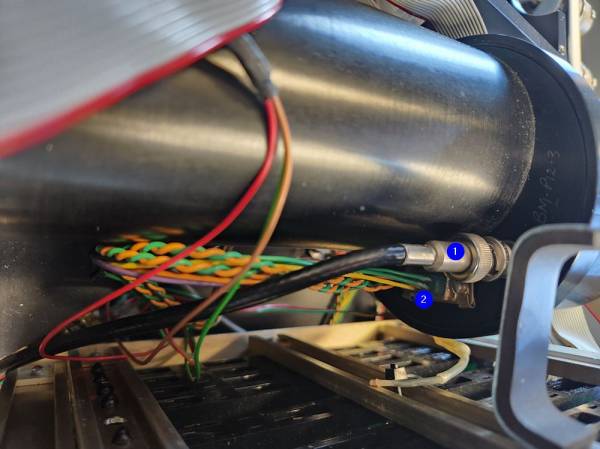
- Remove the db9 connectors (1 & 2)
- Carefully remove the thermister from the PMT (3)
- Remove the 10-32 socket head screws (4,5,6,7)
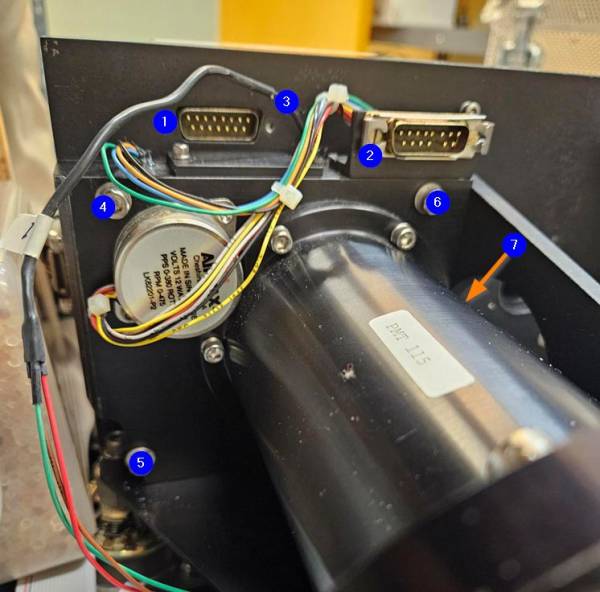
- Carefully slide the entire PMT tube out (Note the orientation when you put the PMT back in later)
- With the PMT standing up, remove the top cap (Note: It is a very fine thread, carefully remove the lid as there are electronics right under it.)
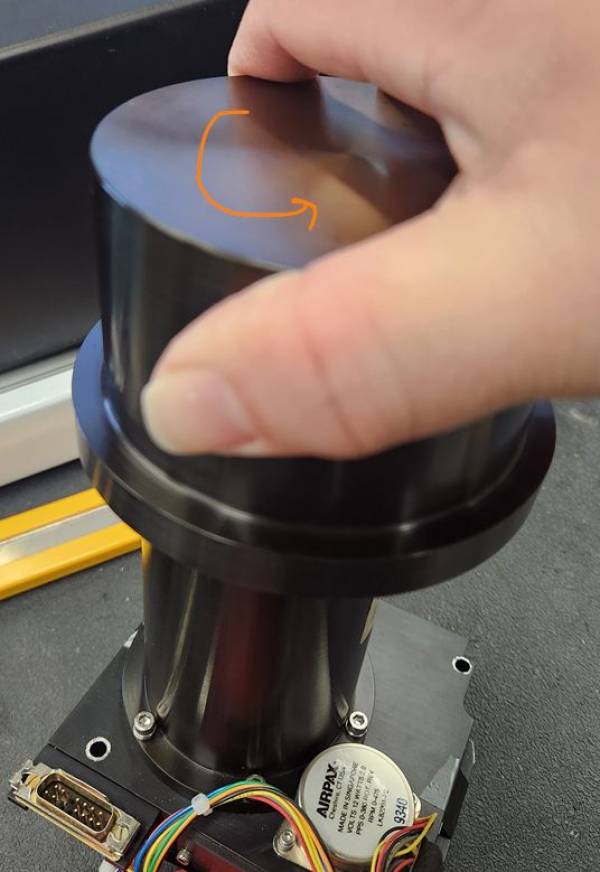
- Remove the two 4-40 socket head screws
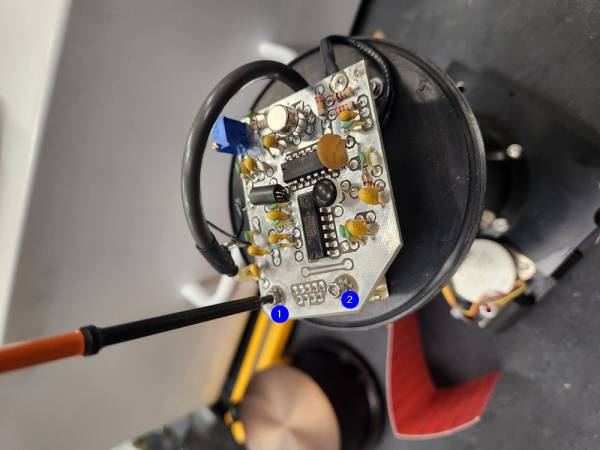
- Move the PCB board (High Speed Amp) out of the way and Loosen (do not remove) the 3 (1,2,3) 4-40 socket head screws (about 3 turns)
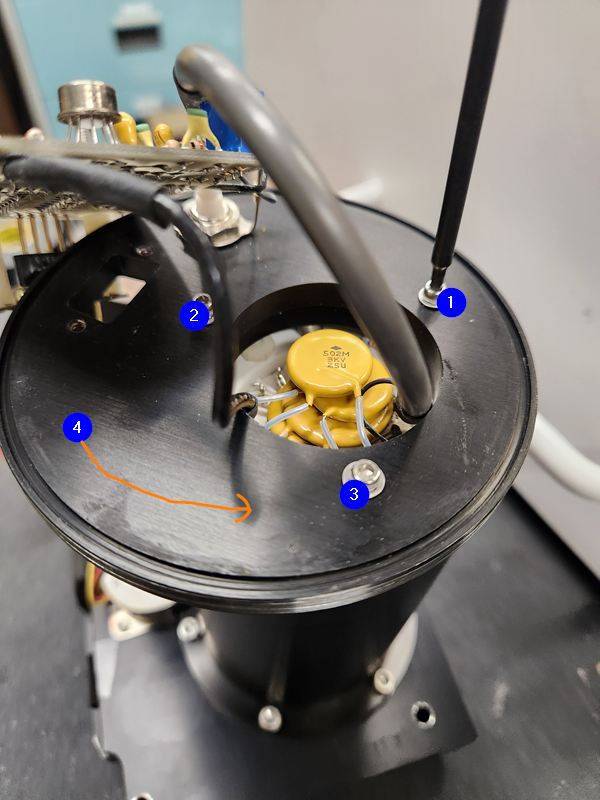
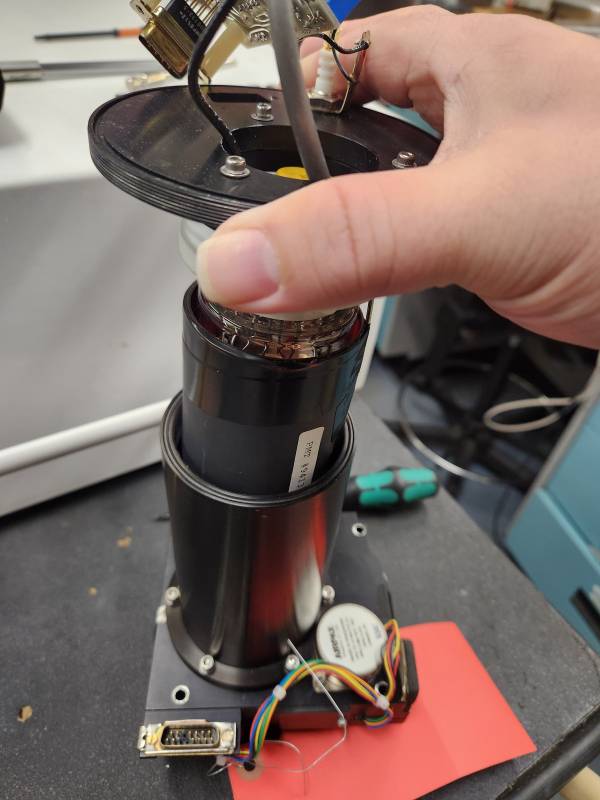
- unscrew the threaded plate and carefully remove the PMT core
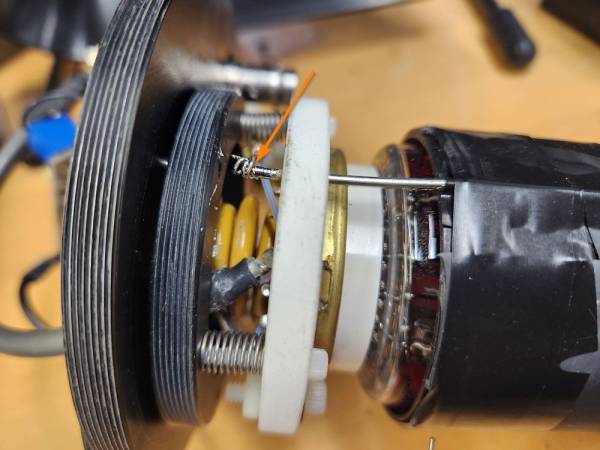
- un-solder the resistor off the post
- Tip 1: Due to the old solder, it maybe a good idea to add a little bit of new solder then remove it.
- Tip 2: You don't need to completely remove all the solder, once most the solder is gone, use a pair of plyers to move the coiled up resistor off the post
- Tip 3: there may be a bit of silicone on it, make sure you remove the silicone first
- Put on a pair of gloves!
- Remove the PMT's shield to expose the PMT core
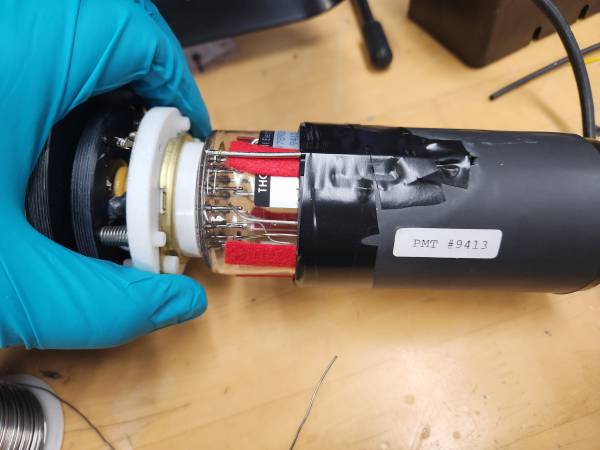
- Slowly wiggle out the old PMT core
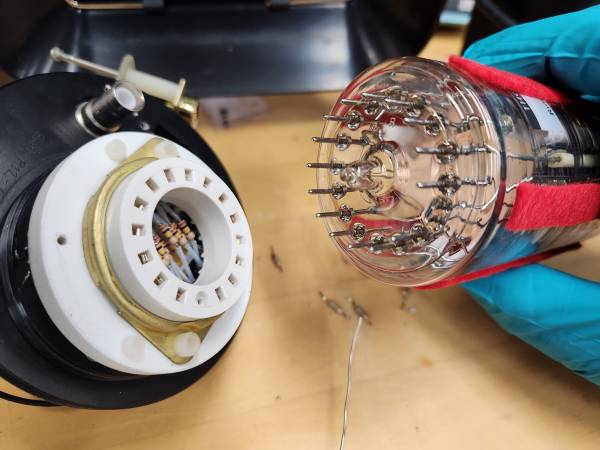


Notes for reinstalling the PMT
- When reinstalling the “new” PMT core note the keyed section of the PMT socket
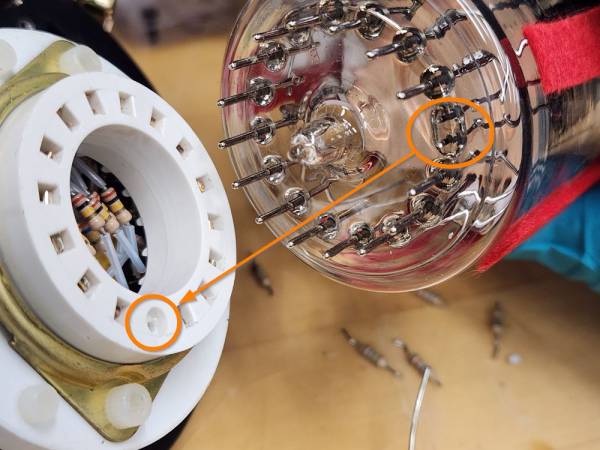
- Once the PMT core and PMT shield is reinstalled, ensure the resistor is soldered back onto the post. This is very important otherwise it will not measure/count well! Add some silicone to it to protect it from shorting it with anything else
- All the threads on the PMT are fine threads, be very careful and not cross thread anything
- Repeat the steps backwards to reinstall everything.
- In step 10, you do not need to thread it until it is tight, the 3 screws will keep it tight from letting it spin. Spin the thread so that the coax cable and db9 is in the correct orientation

disassembly.1765307154.txt.gz · Last modified: by andrew